The most private app store, period.
Browse and search the entire catalog locally. Know who is behind every app and install with peace of mind.
Fully open source and built on open protocols.





Signal, Tor Browser, Bitwarden, NewPipe, Immich and thousands more
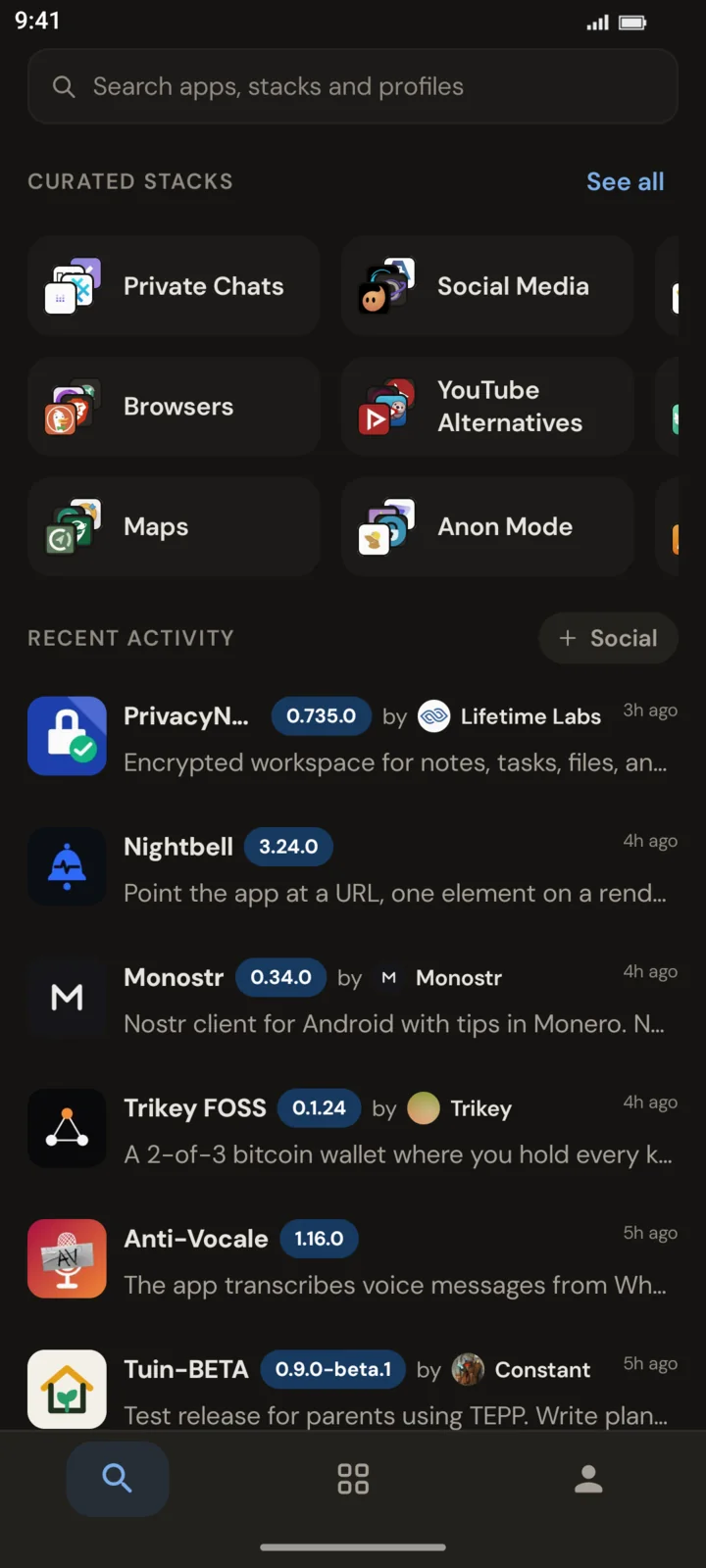
What you look for never leaves your device
Like the trail maps in a hiking app, the whole catalog is local. Search all you want. What you look for and what you install stays between you and your phone.
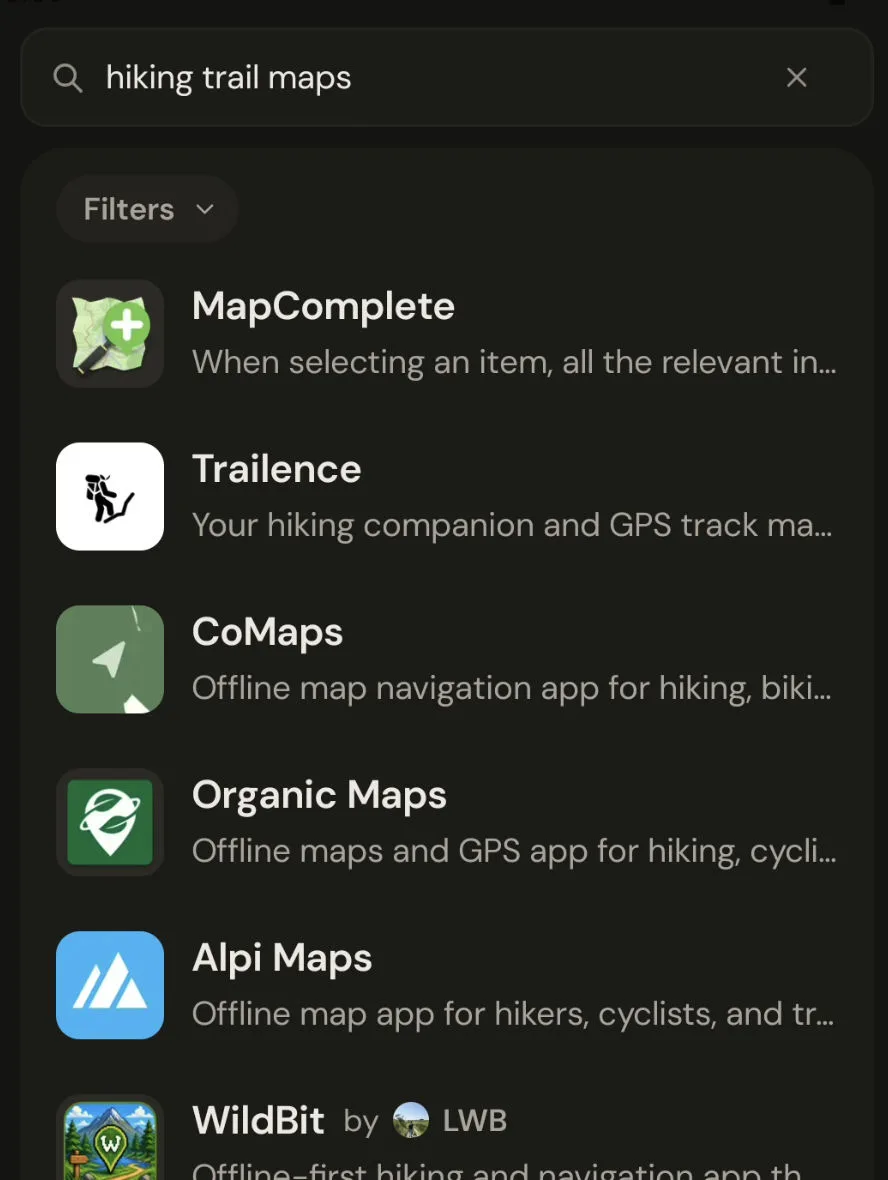
Know who made it and exactly what it does
-
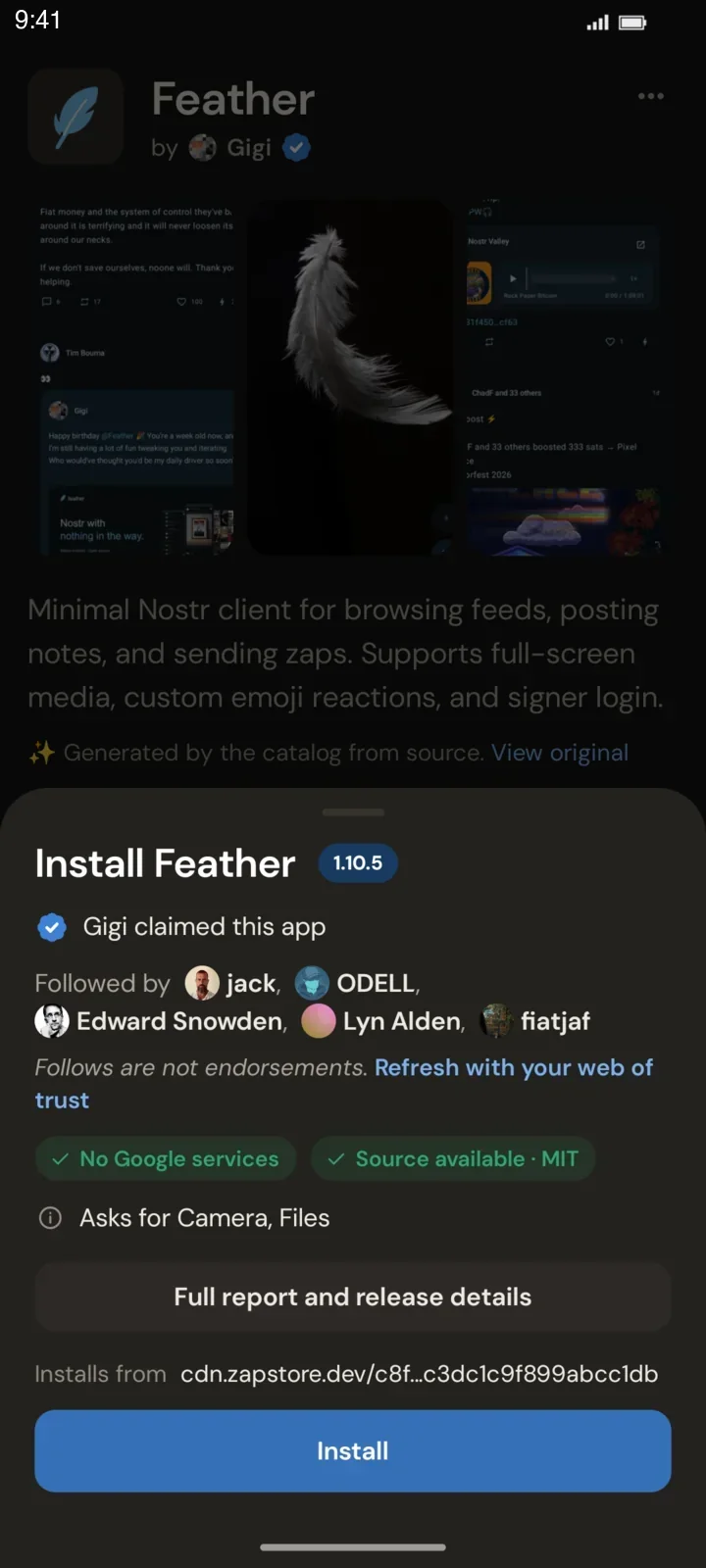
Who published it
Developers claim their apps by cryptographically linking the Android key that signs them to their Zapstore pubkey. From then on, every release carries their name, and you see the developer’s web of trust before you install.
-
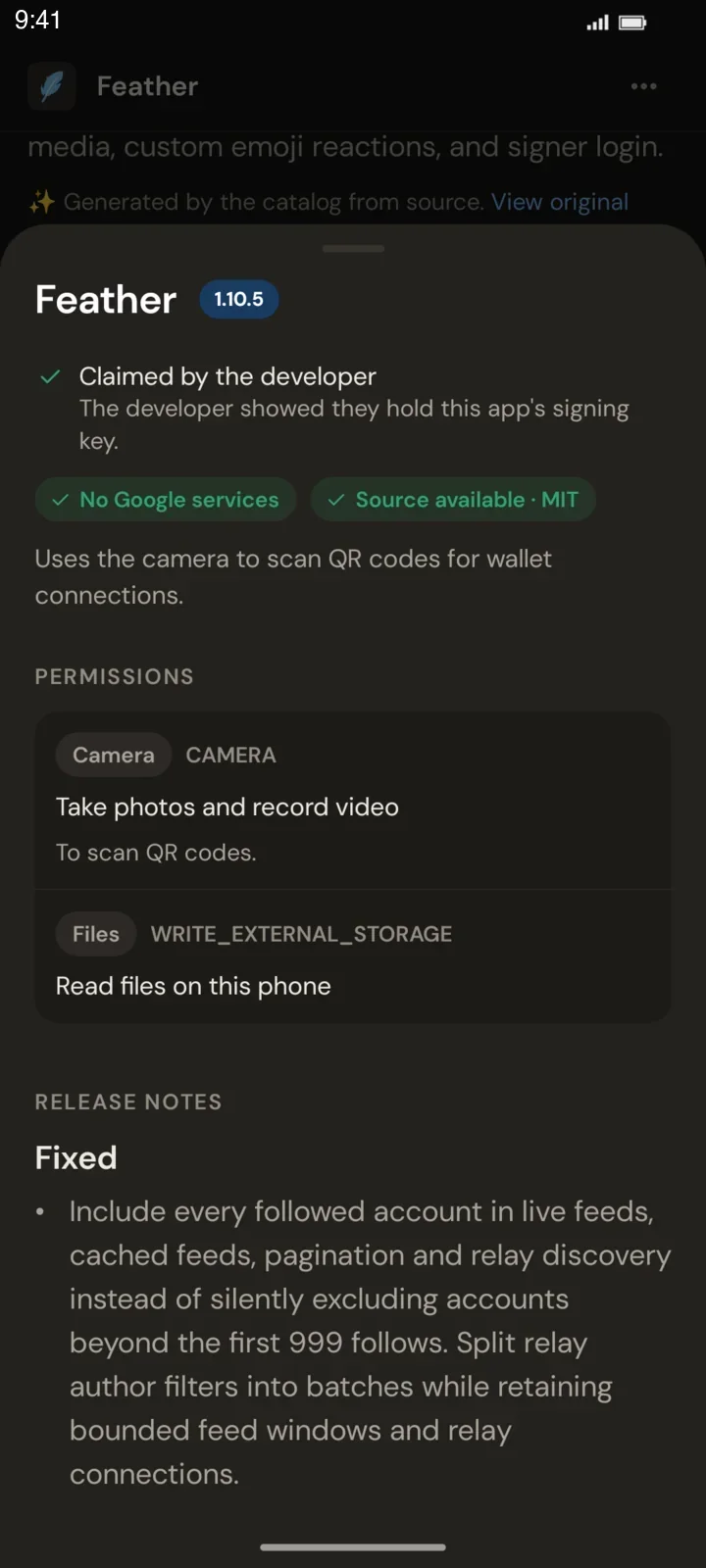
Scanned for you
The catalog relay inspects every release file, so you don’t have to take the developer’s word for it. The report flags things like trackers, ads, and Google services, and explains every permission in plain words.
-
Checked before it installs
Your phone verifies the file’s hash against the signed listing, and its signing certificate against the developer’s claim and the version you already have. If anything doesn’t match, nothing installs.
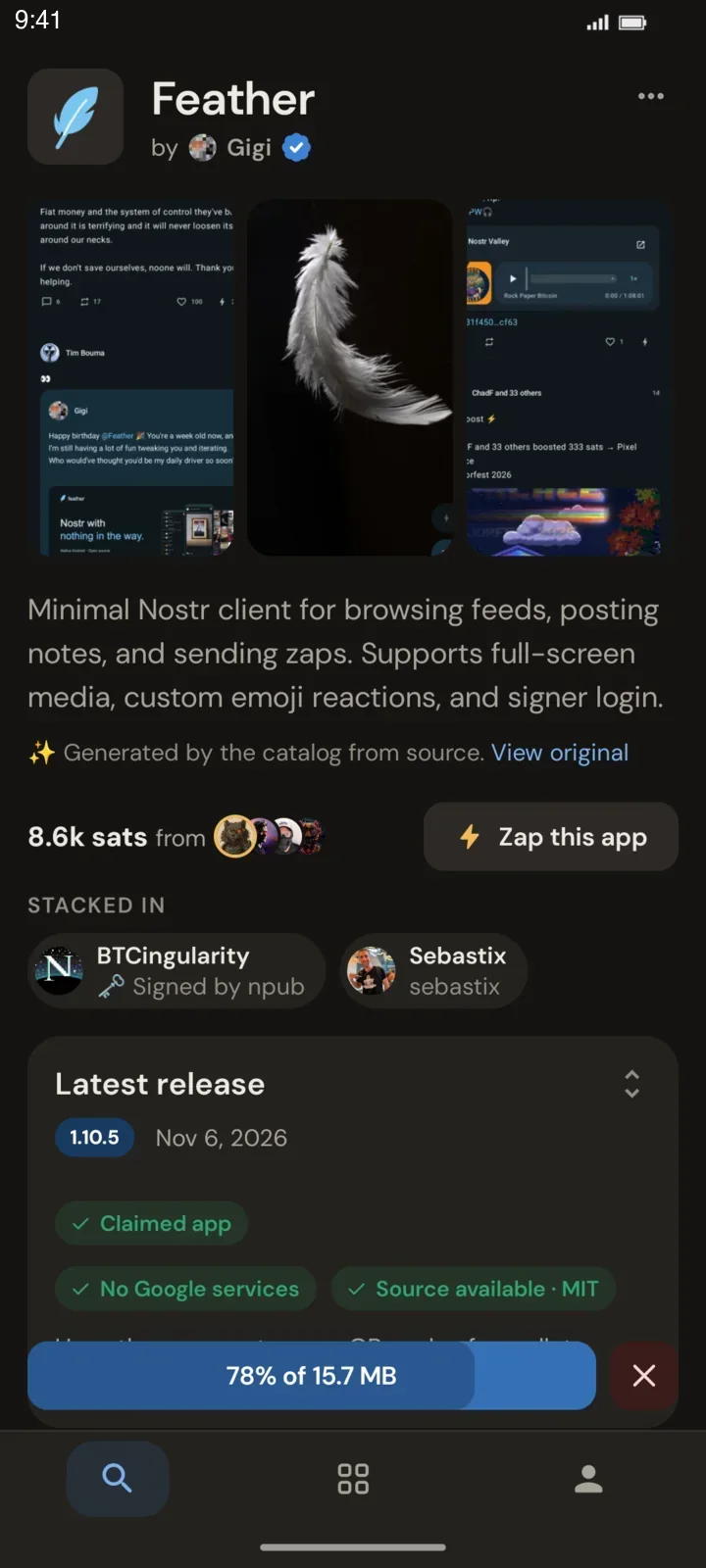
No gatekeeper, not even us
Zapstore ships with a default catalog, and each catalog sets its own rules. Every listing is public, signed data on Nostr, an open protocol, and the catalog relay that serves ours is open source. Add catalogs with stricter or looser rules, replace ours, or run your own. We couldn’t lock you in even if we wanted to.
In their own words
Unedited public posts from thousands of daily users and the developers who publish here.
 CanopyKev
Just published my first android app to the @Zapstore what a pleasant experience. This is the way all App stores should be. Thank you @franzap
 DireMunchkin
Zapstore is awesome. Take care of yourself. 💜
RodrigoI also recently discovered Zapstore. The UX is great, I didn't even try out Obtainium.
 Baba Malaika ⚡
I'm enjoying Zapstore! Well done 🙌
 DarthCoin ₿⚡️
Hyperbitcoinization will happen when all devs will publish to Zapstore
 The BTC Philanthropist
Zaps sent via Zapstore ⚡ thanks for publishing, Play Store is too fiat!
 Mohammad Rafigh
I published NeoComment on Zapstore. It was as easy as breathing. Thanks guys.
 sana
NosCall is now live on Zapstore! You can publish without any approval — true freedom tech ⚡️
 Hazey
Zapstore apps are authenticated by the developer and source verifiable. Google's process is less secure because apps are not independently verifiable.
Zapstore refused to install since hashes don't match (which is great!). You can be confident what you're downloading is legitimate.
 Fountain
1.3.10 now on Zapstore and we will publish each subsequent release there too.
 Dikaios1517
All apps on Zapstore are signed with Nostr keys. This allows you to be very confident that what you are downloading is the legitimate app.
 Turiz
You can zap ⚡️ the devs releases in Zapstore. hint hint
 BTCingularity
Shout out to the devs for signing their apps on Zapstore.
 Max
One of the underrated features of Zapstore is that regular users can sign and recommend the application of another developer.
Dikaios1517
Play Store doesn't use Nostr private keys for signing, while Zapstore does.
The BTC Philanthropist
Graphene with Zapstore only way to go — on-boarded another pleb today 💪
 PixelBob
Is it weird Zapstore is my favourite Nostr app? I like the social apps but I check the zapstore daily.
 🟤 isolabellart
Zapstore may be known to few people, just like Nostr. But it was still the first app I installed when I changed my smartphone two months ago.
 Leviticus Mathew
Updating #wisp via #zapstore has become part of my morning routine.
The BTC Philanthropist
I depend on zapstore every day. Your work is very important 🍻
 Alien Investor
 invisibull
 il_lost_
Take back your apps
Install and start browsing right away.
Ideal for GrapheneOS and LineageOS. It needs no Google account and no Google services.

Where people who use apps meet the people who make them
Signing in is optional. Once you do, you can comment on apps, share stacks, and send zaps, small private Bitcoin Lightning payments, to support the apps you use.
Zap the developer
Your zap goes straight to the developer, or to the catalog when an app is unclaimed.
Ask, report, hear back
Comments are public, show which version you ran, and the developer can reply in the thread.
Share stacks with friends
A stack is a list of apps, like a starter kit for a new phone. Anyone can browse and share a public stack.
Zapstore for developers
Publish your Android app in minutes, and keep every zap.